
Free DXF Files for Plasma Cutting: 10 Big Designs and How to Prep Them
Free DXF files for plasma cutting work best when they are large, bold shapes with closed contours, bridges at least twice the kerf (a plasma torch removes about 1.5 mm) and holes no smaller than the steel is thick. Check the units and size before cutting, let your CAM program add lead-ins and the kerf offset, and cut inner shapes before the outline. The ten free designs below, from 378 mm to 1.2 m wide with few small details, suit CNC plasma, fiber laser and waterjet.
The first time a plasma torch rips through a sheet of 14 gauge steel, you feel it in your chest: the hiss, the shower of orange sparks under the slats, and then a horse lifting out of the sheet, still warm. It is a great moment, unless the file was drawn for a small laser and half the details melted into a puddle of dross.
That is the catch with free DXF files for plasma cutting: a design can look perfect on screen and fail on a torch table because its bridges are thinner than the kerf. This guide covers what makes a DXF plasma-ready, how to check and scale one, how to finish the metal, and then ten large designs from the DXF World library that suit a CNC plasma table, a fiber laser or a waterjet. All of them download free as DXF and SVG.
What makes a DXF plasma-ready
On a typical hobby or small-shop CNC plasma table the kerf is about 1.5 mm, it is wider where the torch pierces, and every start leaves a small crater.
| Check | Why it matters | Rule of thumb for plasma |
|---|---|---|
| Closed contours | An open shape gives the torch no loop to follow, so it cuts a line and stops | Every cut line closed, no gaps, no duplicates |
| Bridge width | The torch removes about 1.5 mm and heats the metal on both sides | At least twice the kerf and no thinner than the sheet; 3–4 mm is safer in thin steel |
| Smallest hole | Holes smaller than the sheet thickness come out tapered, oval or not at all | Diameter at least the material thickness, better 1.5 × |
| Lead-ins | The pierce leaves a blowout pit where the cut starts | Start inner cuts in the waste and the outline outside the part, 3–5 mm long |
| Scale and units | A DXF does not always say whether it is in inches or mm | Measure one known dimension before you cut |
| Cut order | A part that drops or tilts moves every later cut | Inner shapes first, outline last |
Typical kerf by machine: plasma 1–2 mm, abrasive waterjet roughly 0.8–1.2 mm, fiber laser 0.1–0.3 mm in thin steel. A design whose bridges survive plasma will survive the other two.
Pro tip: let your plasma CAM program add the lead-ins and the kerf offset. The DXF should hold the true shape only, with no offsets drawn in, so the same file works on plasma, laser and waterjet.
Steel thickness for plasma wall art and signs
Most metal wall art lives between 16 and 11 gauge. Thinner sheet is light and cuts fast but warps from the heat; thicker sheet stays flat but is heavy and needs more amps.
| Gauge / size | Thickness | Weight per m² | Smallest hole | Good for |
|---|---|---|---|---|
| 16 ga | about 1.5 mm | about 12 kg | 1.5–2.5 mm | Indoor wall art, small silhouettes |
| 14 ga | about 1.9 mm | about 15 kg | 2–3 mm | Most wall art and indoor signs |
| 12 ga | about 2.7 mm | about 21 kg | 3–4 mm | Outdoor signs, yard art, gate panels |
| 11 ga | about 3.0 mm | about 24 kg | 3–4.5 mm | Large outdoor pieces, ranch signs |
| 3/16 in | about 4.8 mm | about 37 kg | 5–7 mm | Heavy gates, brackets, fire pit rings |
The weights are for a full solid sheet of steel, 7.85 kg per m² for every millimetre of thickness; a cut piece weighs less. Gauge tables differ slightly between standards, so measure your sheet with calipers.
How to check and scale a DXF for metal
- Open it and measure. Pick a dimension you know, such as the overall width on the file page, and measure it in your CAD or CAM program. If a 681 mm sign shows as 26.8, the file opened in inches; if it shows as 17,297, a millimetre file was read as inches and multiplied by 25.4. What units a DXF should use explains why this happens.
- Scale with the proportions locked to the final size you want. Scaling laser files shows the steps.
- Join and close. Run a join command with a small tolerance, around 0.05–0.1 mm, and look for open shapes. Fixing open contours in a DXF covers the usual culprits.
- Delete the junk. Duplicate lines make the torch cut twice and widen the kerf; single points and zero-length lines confuse some controllers.
- Measure the thinnest bridge and the smallest hole at the final size and compare them with the tables above. Too thin? Scale up, choose thinner steel, or thicken that spot.
- Convert splines if needed. Some older plasma controllers want lines and arcs only; most CAM programs convert splines on import.
Common mistake: shrinking a big design to fit a small offcut of steel. A 680 mm horse scaled to 300 mm keeps its shape, but every leg and every bridge shrinks by more than half, and a 4 mm bridge becomes a 1.8 mm sliver that the torch simply burns away. On plasma, scale up or leave the size alone; scale down only after you have measured the thin spots.
Finishing plasma-cut steel
- Remove the dross. Knock the slag off the bottom edge with a chipping hammer or scraper, then run a flap disc on an angle grinder along the edges. Heavy, stubborn dross usually means the cutting speed was off, so note it for the next sheet.
- Deburr the inside openings with a file or a small rotary tool. Paint does not stick to burrs.
- Rust patina. Degrease the steel, then spray or wipe on a mix of hydrogen peroxide, white vinegar and a little salt. Rust shows within hours. When the colour is right, rinse, let it dry fully, and seal it with a clear matte coat if it will hang indoors, so it does not mark the wall.
- Paint. Degrease, prime with a metal primer, then two coats of paint. Matte black is the classic silhouette look.
- Powder coat. The toughest finish outdoors. The part is blasted, sprayed with powder and baked in an oven, usually at a powder coating shop. Ask about the largest size their oven takes before you cut a 1.2 m sign.
Pro tip: cut a small test strip from the same sheet and try your finish on it first. Patina and paint both look different on hot-rolled and cold-rolled steel.
10 free DXF designs that suit plasma cutting
These are big, bold shapes with few small details; most have fewer than ten cut contours. The sizes are the drawn sizes, and each file page gives the exact numbers, the number of parts and laser times. For more shapes, browse animal wall art, wall art and nature and landscape wall art.
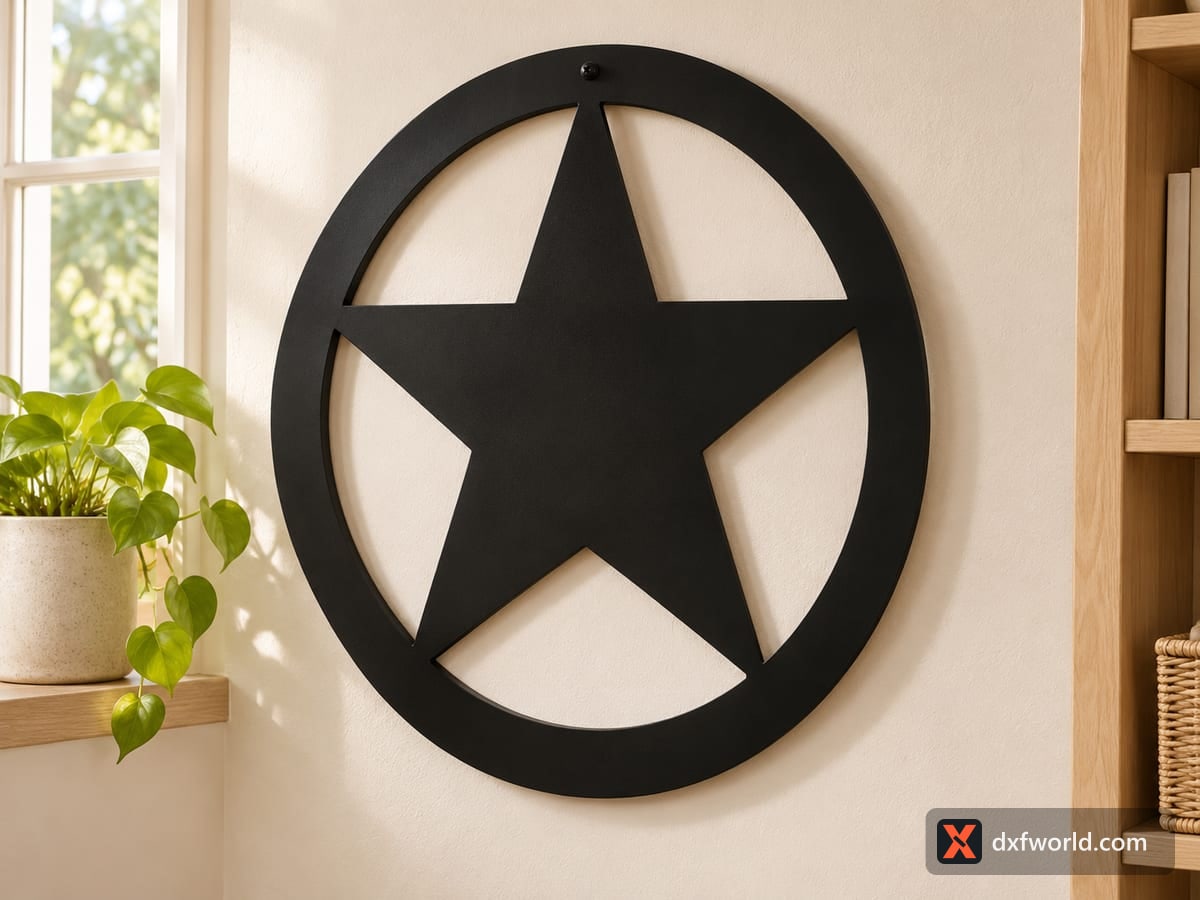 Barn Star in Circle Wall SignSize 579 × 579 mm (22.80 × 22.80 in)Est. time, 10 W diode (3 mm) 16 min 11 sEst. time, 40 W CO2 (3 mm) 6 min 45 sSVG · DXF →
A five-point star tied into a ring about 50 mm wide, with only six contours. There are no thin bridges anywhere, which makes it the easiest first plasma job on this list. At 579 mm across it suits 14 or 12 gauge.
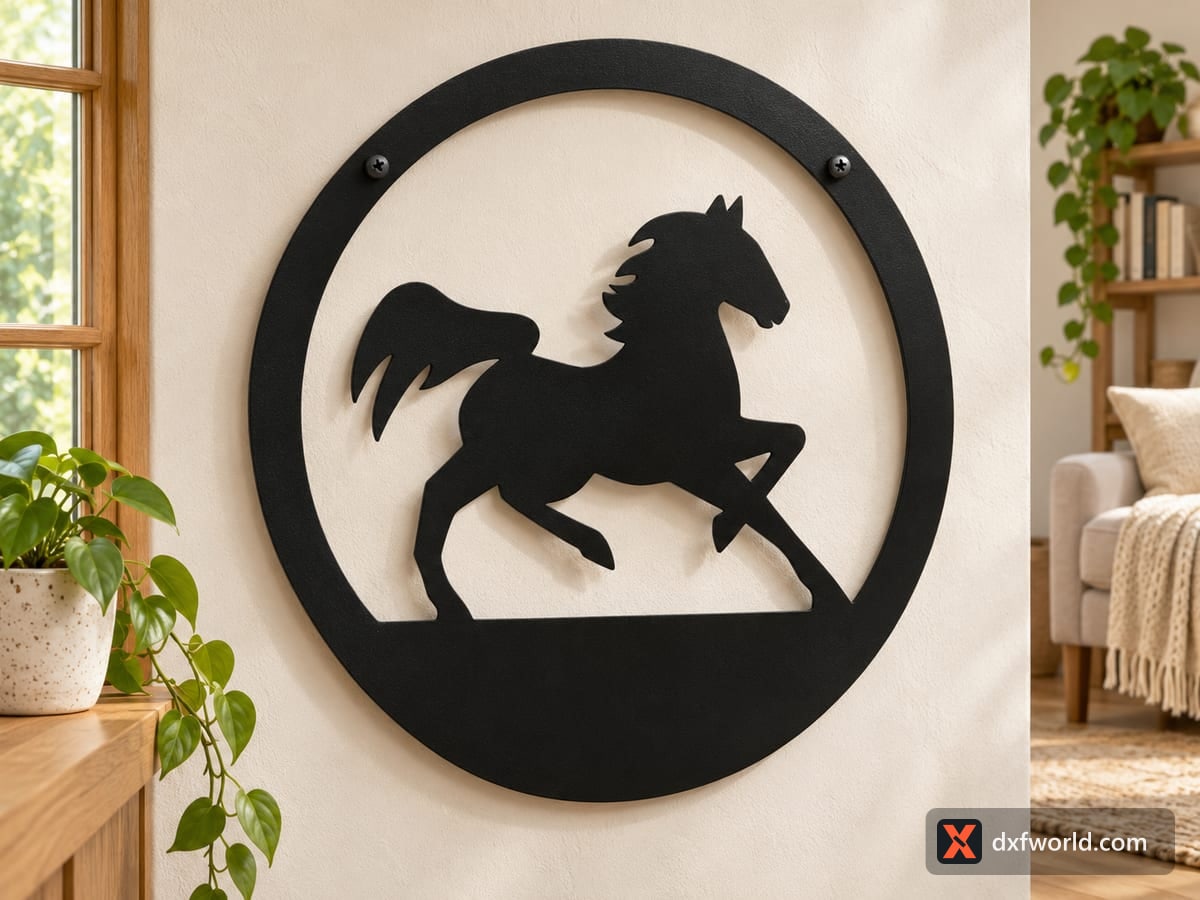 Galloping Horse in Round FrameSize 681 × 677 mm (26.81 × 26.65 in)Est. time, 10 W diode (3 mm) 22 min 17 sEst. time, 40 W CO2 (3 mm) 9 min 17 sSVG · DXF →
A trotting horse on a ground band inside a wide ring, 681 × 677 mm, with two screw holes already in the ring. The outline around the horse has two tiny 1 mm breaks at the tail and the mane, so join those nodes before your CAM program sees it. In 2–3 mm steel the raised leg holds up well at full size.
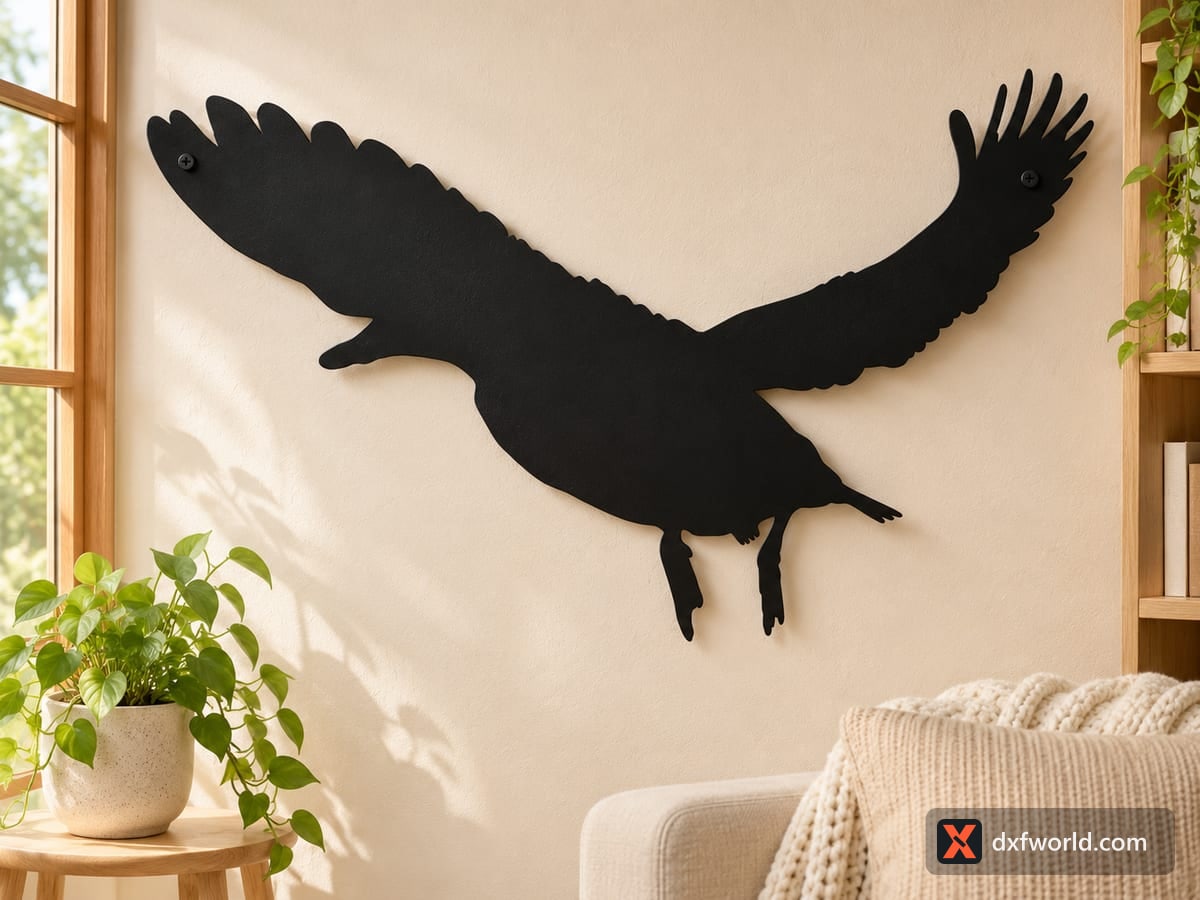 Landing Duck SilhouetteSize 566 × 338 mm (22.30 × 13.30 in)Est. time, 10 W diode (3 mm) 8 min 05 sEst. time, 40 W CO2 (3 mm) 3 min 22 sSVG · DXF →
One solid duck dropping in to land, wings up and feet hanging, 566 mm wide with no inner cut-outs at all. The file holds a few stray single points; delete them first. The feet are the thinnest part, so keep it at full size for steel.
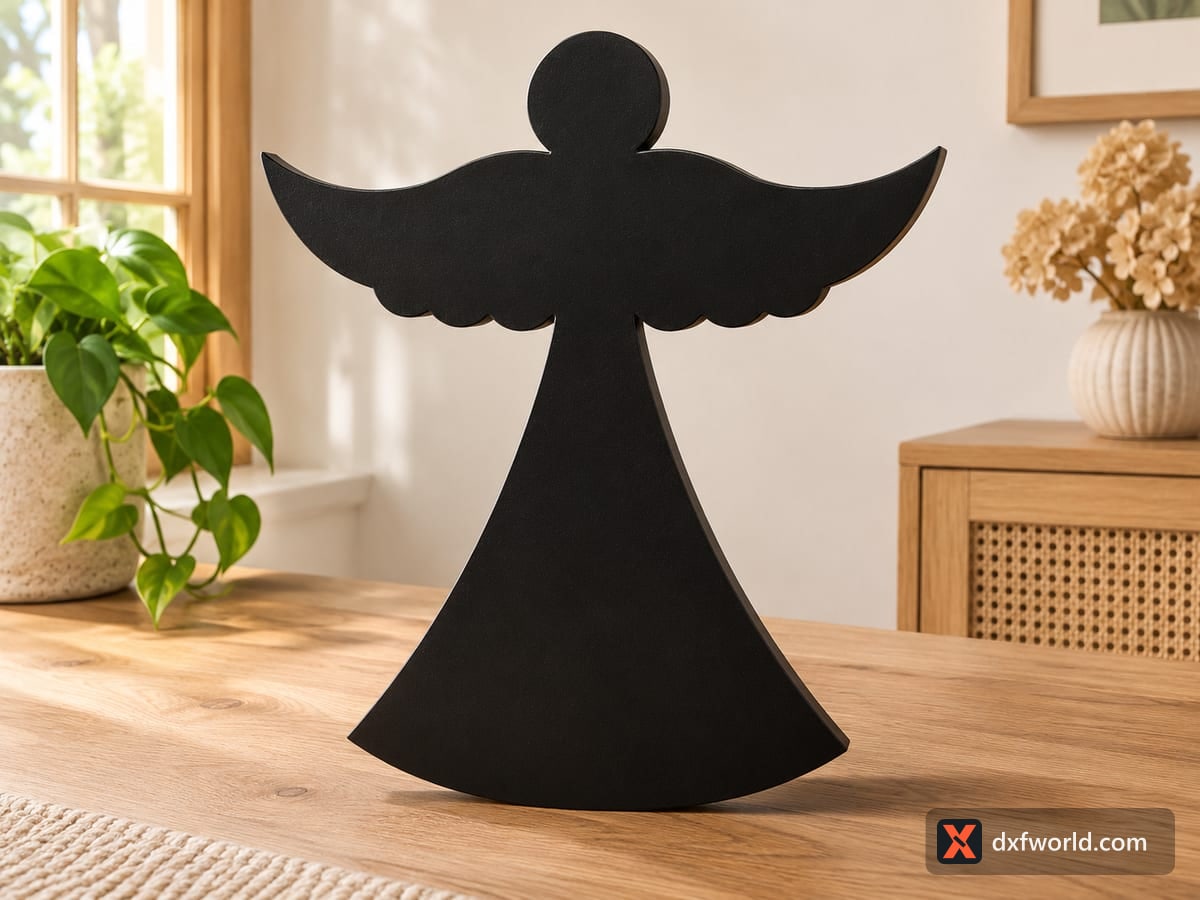 Large Angel Silhouette, Scalloped WingsSize 622 × 681 mm (24.50 × 26.80 in)Est. time, 10 W diode (3 mm) 9 min 27 sEst. time, 40 W CO2 (3 mm) 3 min 56 sSVG · DXF →
An angel with scalloped wings and a flared gown, 622 × 681 mm, drawn as one outline: one pierce, one lead-in. The outline meets at the waist with two 1 mm gaps; join them, or leave them as tabs and grind them smooth afterwards. Weld a stake to the back for a yard angel.
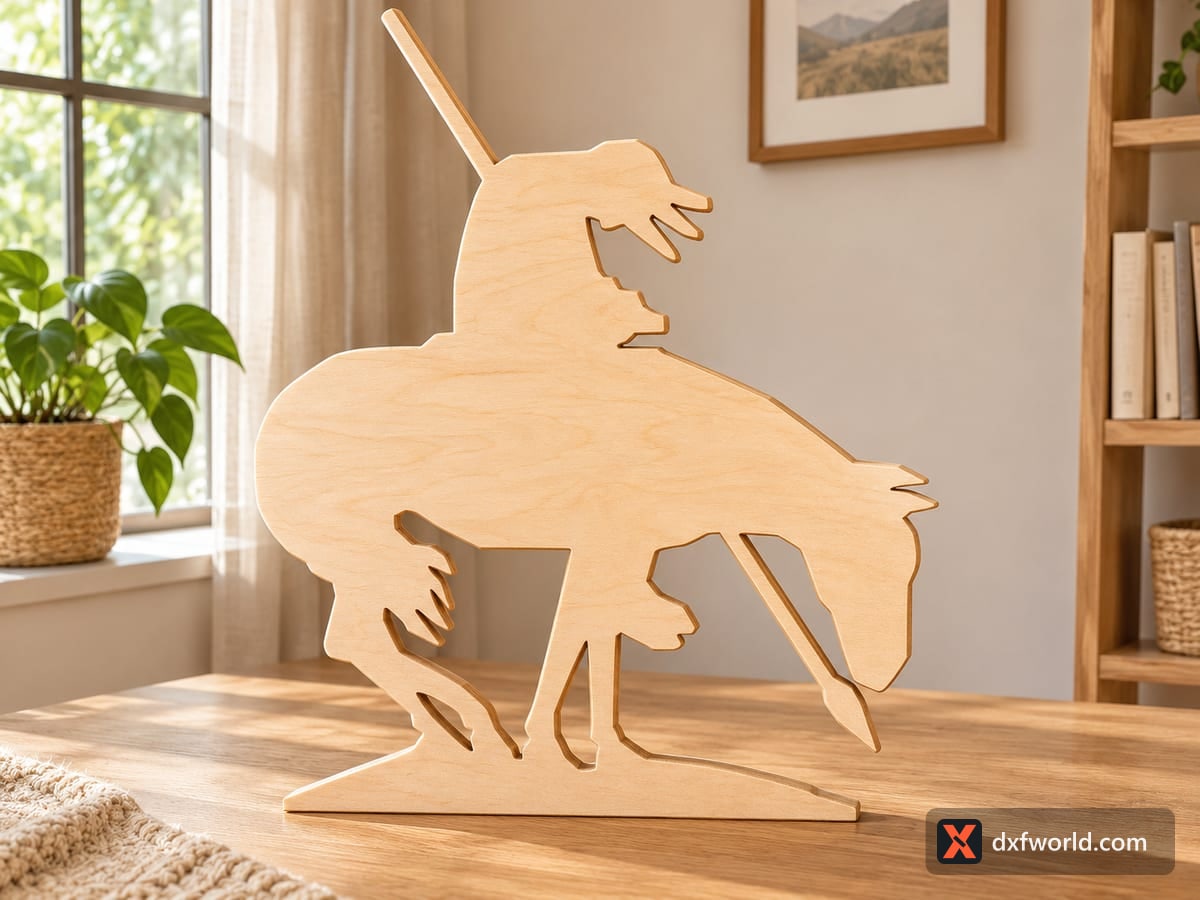 End of the Trail Rider SilhouetteSize 669 × 814 mm (26.34 × 32.05 in)Est. time, 10 W diode (3 mm) 20 min 59 sEst. time, 40 W CO2 (3 mm) 8 min 45 sSVG · DXF →
The famous slumped rider on a tired horse, 669 × 814 mm, with just three openings under the belly and between the legs. The lance is the weak spot, so keep it at least as wide as the sheet is thick. In rusted steel it looks right beside a ranch gate.
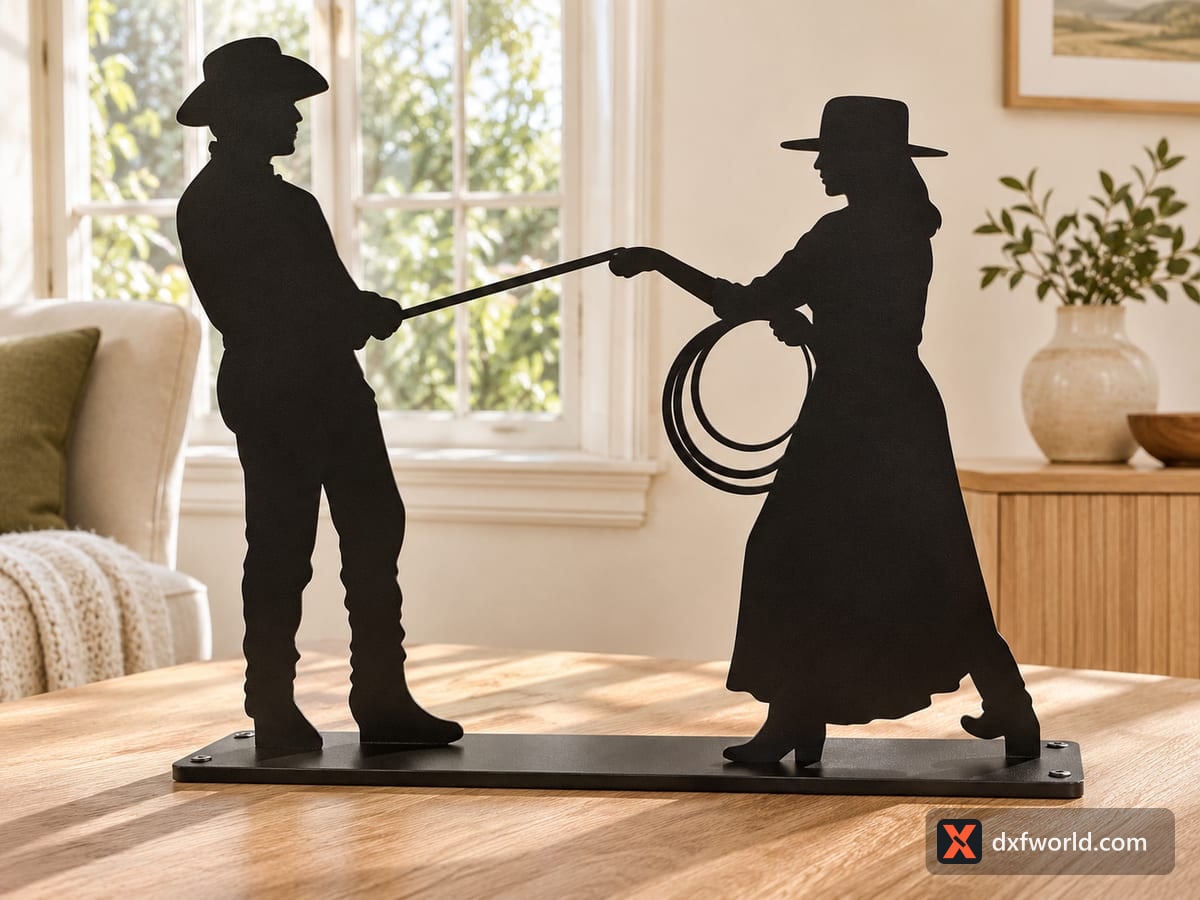 Cowboy and Cowgirl With Lasso SilhouetteSize 498 × 406 mm (19.60 × 16.00 in)Est. time, 10 W diode (3 mm) 13 min 34 sEst. time, 40 W CO2 (3 mm) 5 min 39 sSVG · DXF →
A western couple joined by a lasso rope, 498 × 406 mm, seven contours in all. The rope is the narrowest part: scale the piece up by about 1.5 times, or add a base strip under the boots so the rope carries no load, before you cut it in 1.5–2 mm steel.
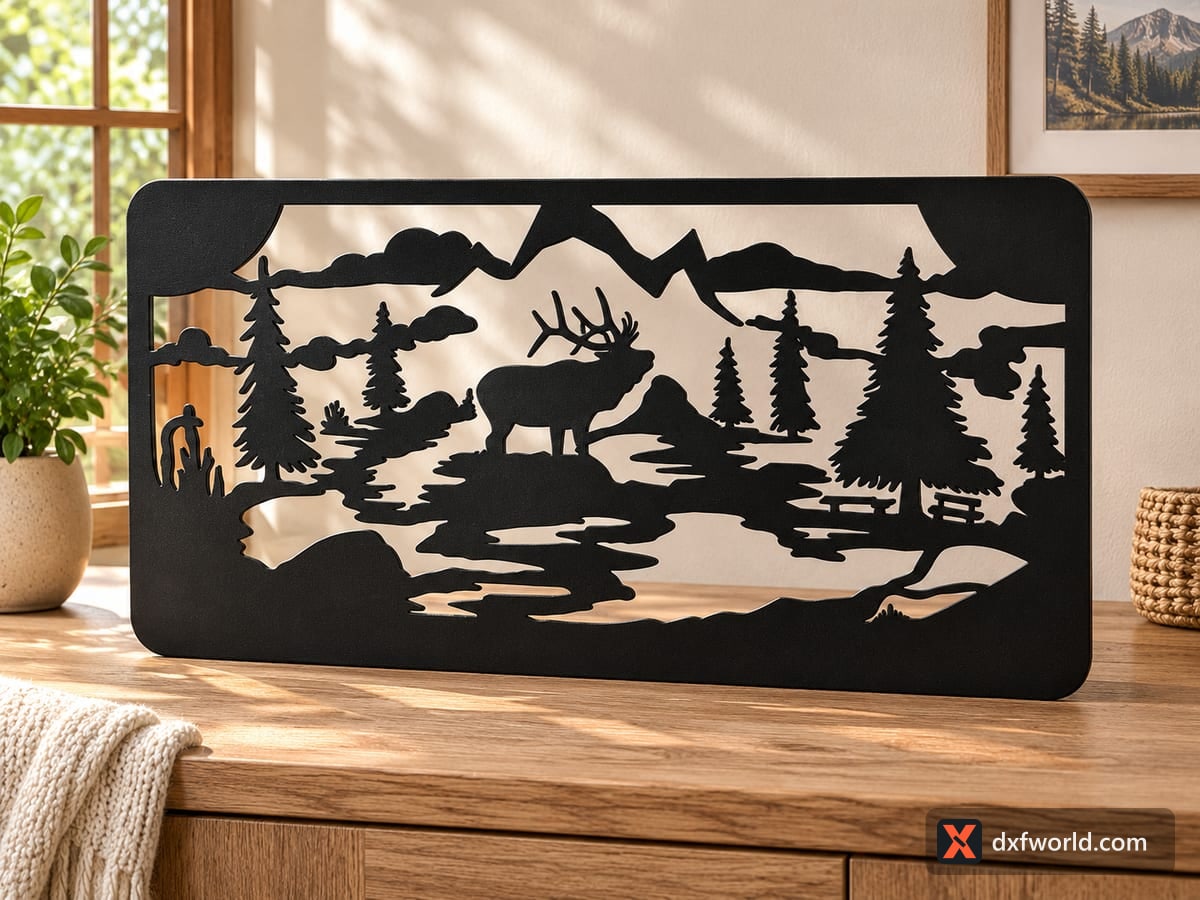 Bugling Elk Mountain Lake PanelSize 379 × 188 mm (14.90 × 7.40 in)Est. time, 10 W diode (3 mm) 25 min 10 sEst. time, 40 W CO2 (3 mm) 10 min 29 sSVG · DXF →
A bull elk calling from a rock above a lake, framed by pines, a mountain ridge and a little picnic table, all held in one rounded frame. It is drawn small, at 378 × 188 mm, and meant to grow: at 90–120 cm the antlers and bench legs are wide enough for 2–3 mm steel. A fine cabin sign.
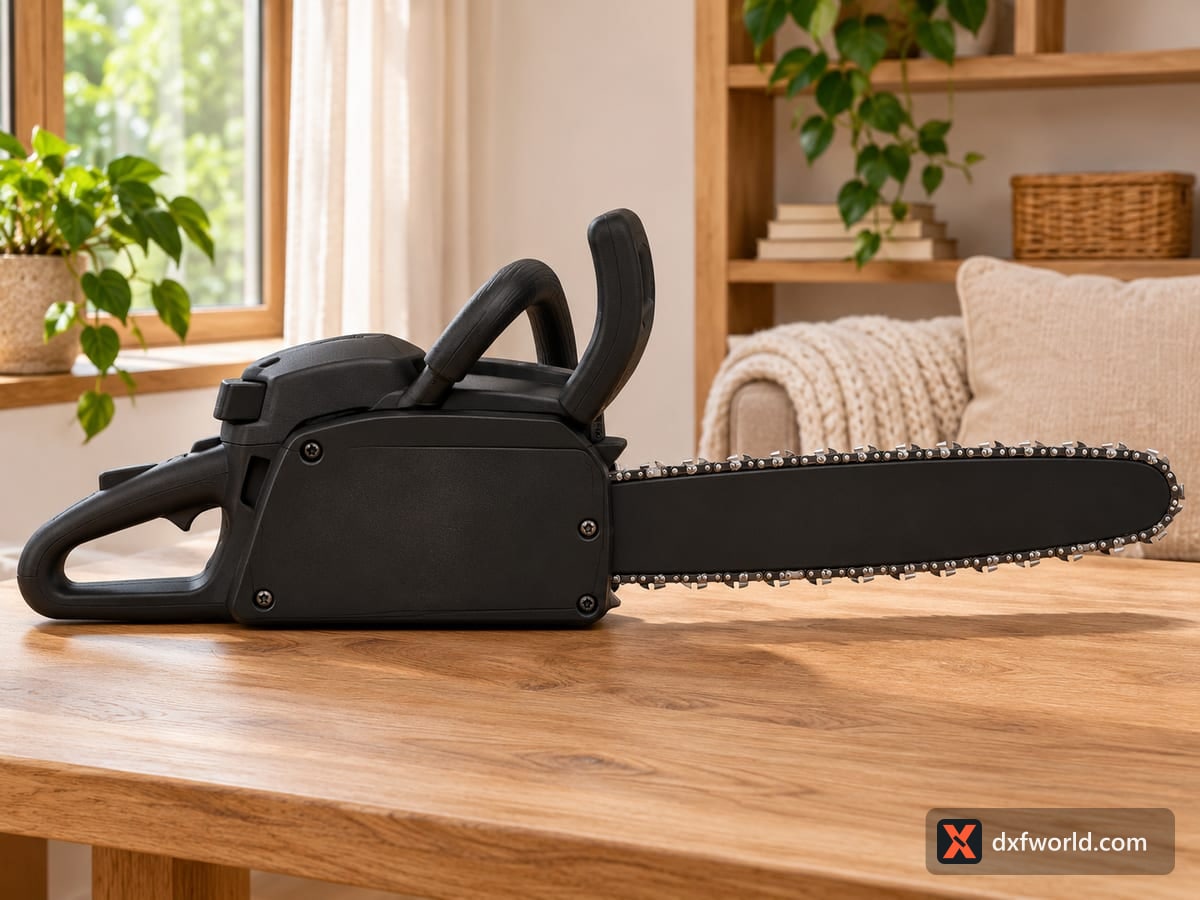 Large Chainsaw Sign Blank CutoutSize 1,186 × 399 mm (46.69 × 15.70 in)Est. time, 10 W diode (3 mm) 14 min 07 sEst. time, 40 W CO2 (3 mm) 5 min 53 sSVG · DXF →
A chainsaw almost 1.2 m long with a toothed chain edge and open handles to hang it from chains. It needs a big table, or split it across the bar and weld the halves on a backing strip. The long guide bar leaves room to paint a business name.
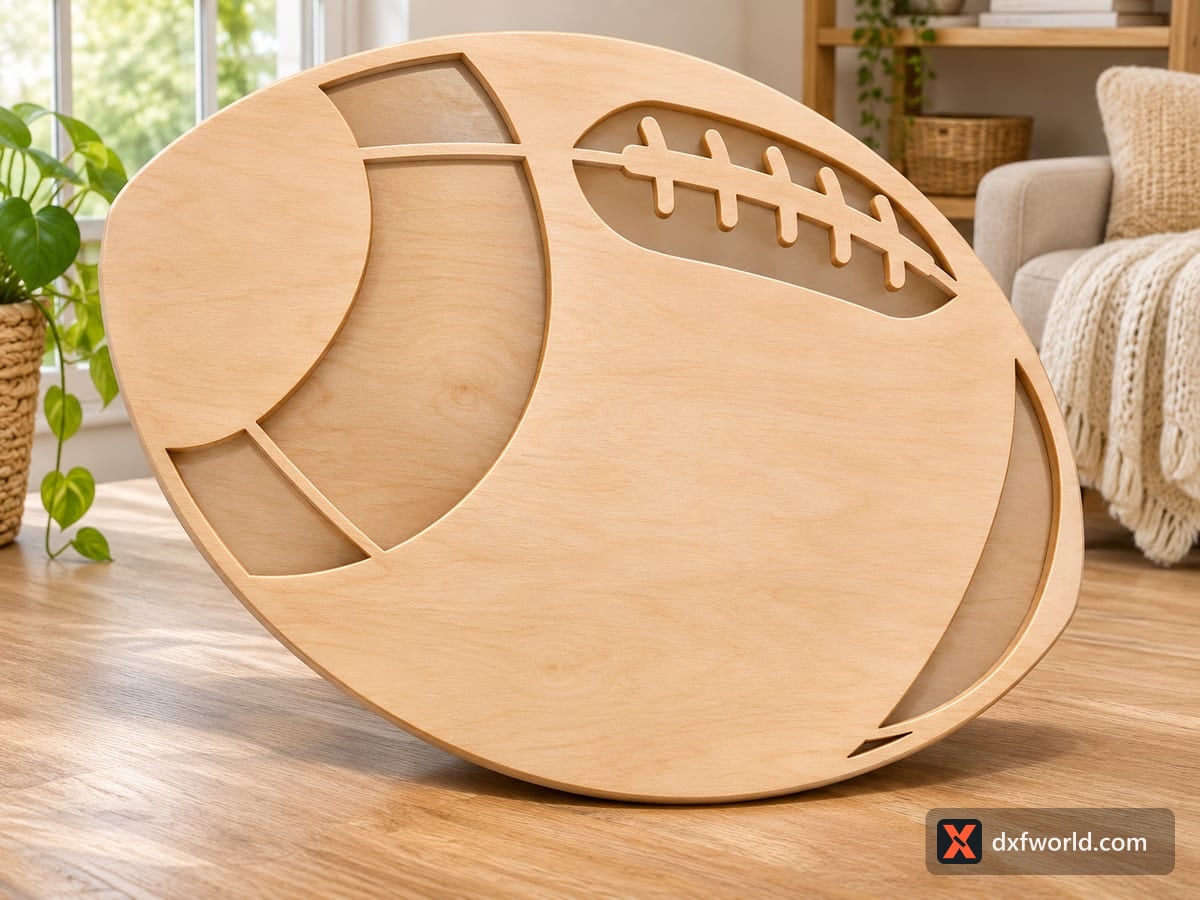 American Football Ball CutoutSize 630 × 470 mm (24.80 × 18.49 in)Est. time, 10 W diode (3 mm) 17 min 10 sEst. time, 40 W CO2 (3 mm) 7 min 09 sSVG · DXF →
A tilted football, 630 × 470 mm, with stripe windows and a lace panel whose stitches are left as bridges. Those stitches are thin at the drawn size, so for steel scale the ball up or widen them in your CAD program. A good garage or team room sign.
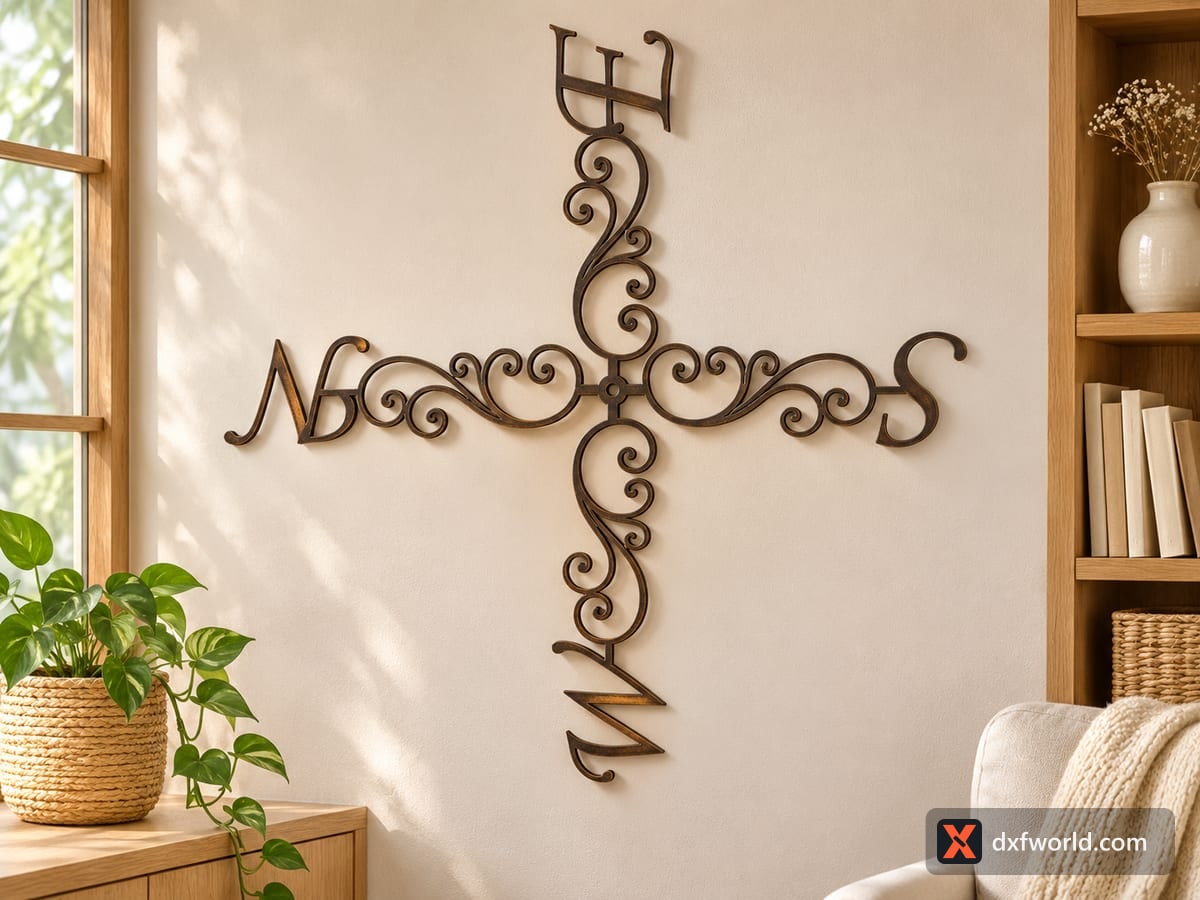 Scroll Compass Cross Wall DecorSize 457 × 457 mm (18.00 × 18.00 in)Est. time, 10 W diode (3 mm) 22 min 48 sEst. time, 40 W CO2 (3 mm) 9 min 30 sSVG · DXF →
A compass of curled scrollwork with N, E, S and W letters, 457 mm square. The scroll strips are slim, so for steel scale it to 80–100 cm and let it rust for an old weathervane look. Rotate it a quarter turn first if you want north at the top.
Next step: pick the barn star or the duck, open the DXF, measure it, and cut it in 14 gauge before you try anything more detailed. Then move on to the rider and the compass.
Questions and answers
Can I use laser cut files on a plasma cutter?
Yes, a DXF opens the same way in plasma CAM software. Check the details first: files drawn for 3 mm plywood often have bridges and holes smaller than a 1.5 mm plasma kerf can handle, so scale them up or choose bold designs.
What steel thickness is best for plasma cut wall art?
14 gauge, about 1.9 mm, is the common choice for indoor wall art and signs. Use 12 or 11 gauge, about 2.7–3 mm, for outdoor pieces that must stay flat and survive the wind.
How small a hole can a plasma cutter make?
As a rule of thumb, a hole should be at least as wide as the steel is thick, and 1.5 times is safer. Smaller holes come out tapered or oval, so drill them after cutting instead.
Why does my DXF come in at the wrong size?
The program read the units wrongly. If a millimetre file opens 25.4 times too big or too small, it was read as inches; set the import units to mm or scale by 25.4, then measure a known dimension again.
Do I need to add kerf compensation to the DXF?
No. Keep the DXF at the true shape and let your plasma CAM program apply the kerf offset and lead-ins, so the same file also works on a laser or waterjet.
How do I give plasma cut steel a rust patina?
Degrease it, then wipe or spray on hydrogen peroxide mixed with white vinegar and a little salt. Rinse once the colour looks right, let it dry, and seal it with a clear matte coat for indoor use.