 Visualization
Wooden Dustpan DXF, CNC Router Dust Pan Template, Workshop Sawdust Scoop SVG, Personalized Dustpan Cut File
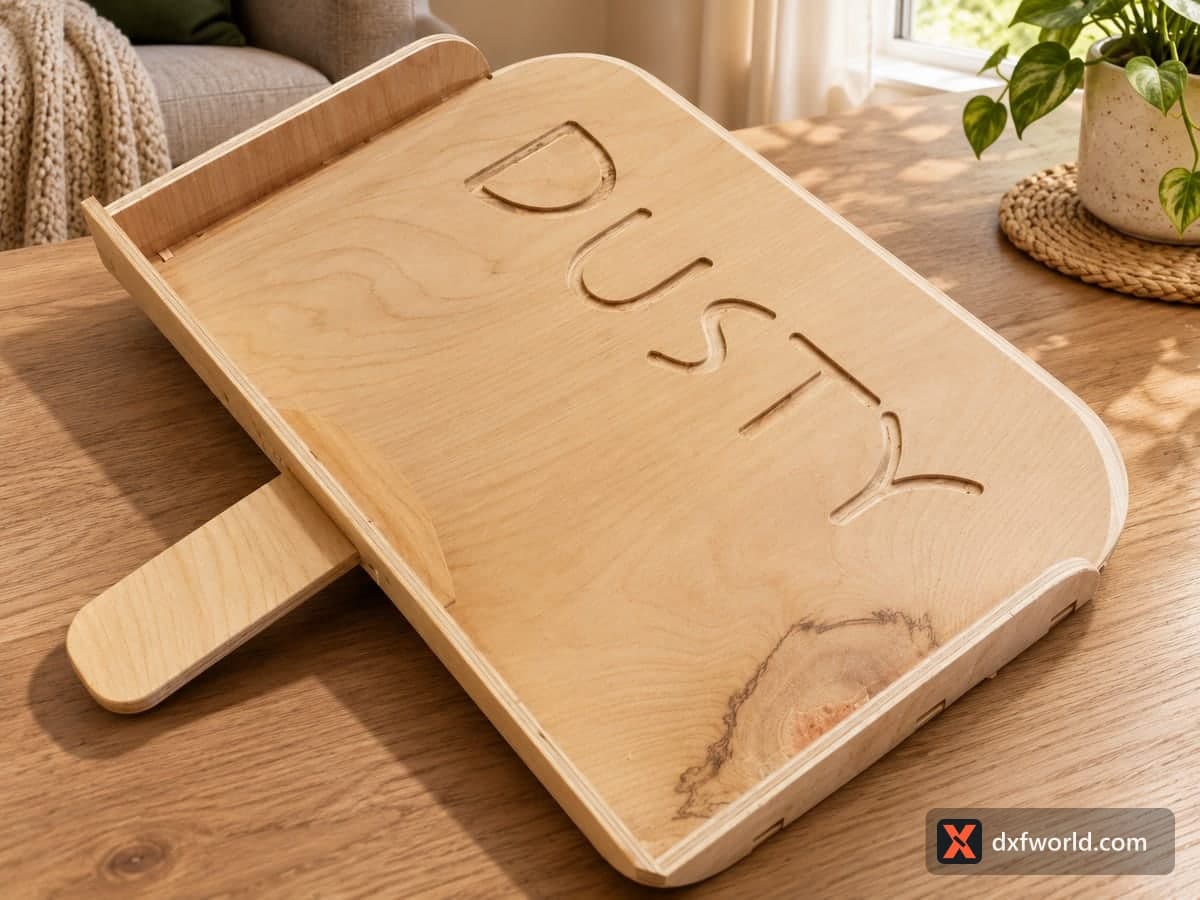
A tab-and-slot wooden dustpan: a wide pan floor with rounded front corners and the name DUSTY cut through it, a curved back wall, two side walls, a T-shaped handle and a small brace. The free download holds one SVG and one DXF with cut lines only; the layout measures 586.7 × 558.8 mm (23.10 × 22.00 in). It suits a CNC router or a laser with a large bed, in plywood.
- Formats
- SVG, DXF
- Size
- 587 × 559 mm (23.10 × 22.00 in)
- Material
- Plywood, MDF, acrylic or metal (scale to your piece)
- Cut length
- 4.74 m
- Est. time, 10 W diode (3 mm)
- 15 min 49 s
- Est. time, 40 W CO2 (3 mm)
- 6 min 35 s
- Layers
- CUT only, no engraving
Free account required to download
How to make it
- 01Delete the stray dot, measure the slot width and match your plywood to it, or scale the file to suit your sheet.
- 02Cut the floor, back wall, both side walls, the handle and the brace on a CNC router or a large-bed laser.
- 03Slot the side walls and back wall into the floor tabs, then push the handle and brace into the back wall slots.
- 04Sand the front lip thin and smooth so it sits flat on the floor, then seal the wood with oil or lacquer.
What is in the file
Six flat parts sit in one layout. The biggest is the pan floor, square at the back and rounded at the front, with the word DUSTY cut right through it in large letters and notched tabs along both sides and the back edge. Below it you get the curved back wall with a cross-shaped slot and two short slots in the middle, where the handle locks in. The T-shaped handle has a long slot to slide over the brace, and the two side walls are low strips with rounded front ends.
A tiny stray circle sits far off to the upper left of the layout and makes the stated size larger than the parts themselves. Delete it before you cut.
Material and slot width
All joints are drawn for one sheet thickness. Measure a slot in your software, then pick plywood that matches, or scale the whole file until the slots fit what you have. Cut one side wall and the matching floor corner as a test before you run the full sheet. Birch plywood with a coat of hard wax oil holds up to sawdust and floor grit.
Swap the name
DUSTY is just a fun default. Replace it with a workshop name, a pet name or a family name, or delete the letters for a solid floor. Keep in mind that cut-through letters let fine dust slip back out, so for a kitchen pan you may prefer to engrave the name or glue thin veneer under the floor. A personalized dustpan makes a funny housewarming present or a woodshop gift for someone who is always sweeping.
Questions about this file
Can I change the name on the floor?
Yes. Delete the DUSTY letters and type your own name in a stencil-style font, keeping enclosed letter centres attached, or engrave the name instead.
Why is the layout so much bigger than the dustpan?
A tiny stray circle sits far from the parts. Remove it and the drawing shrinks to the real pieces.
Which thickness does it need?
The tabs and slots are drawn for one thickness. Measure a slot in your software and use matching plywood, or scale until it fits, with a test cut first.
Will dust fall through the letters?
Fine dust can, because the letters are cut through. Glue a thin sheet under the floor or engrave the name if that matters.
Does it need glue?
The joints hold on their own, but a little wood glue along the side walls stops the pan from loosening with daily use.
Similar files