 Visualization
Santa Claus Silhouette SVG, Walking Santa with Star Sack Laser Cut File, Christmas Shelf Decor DXF
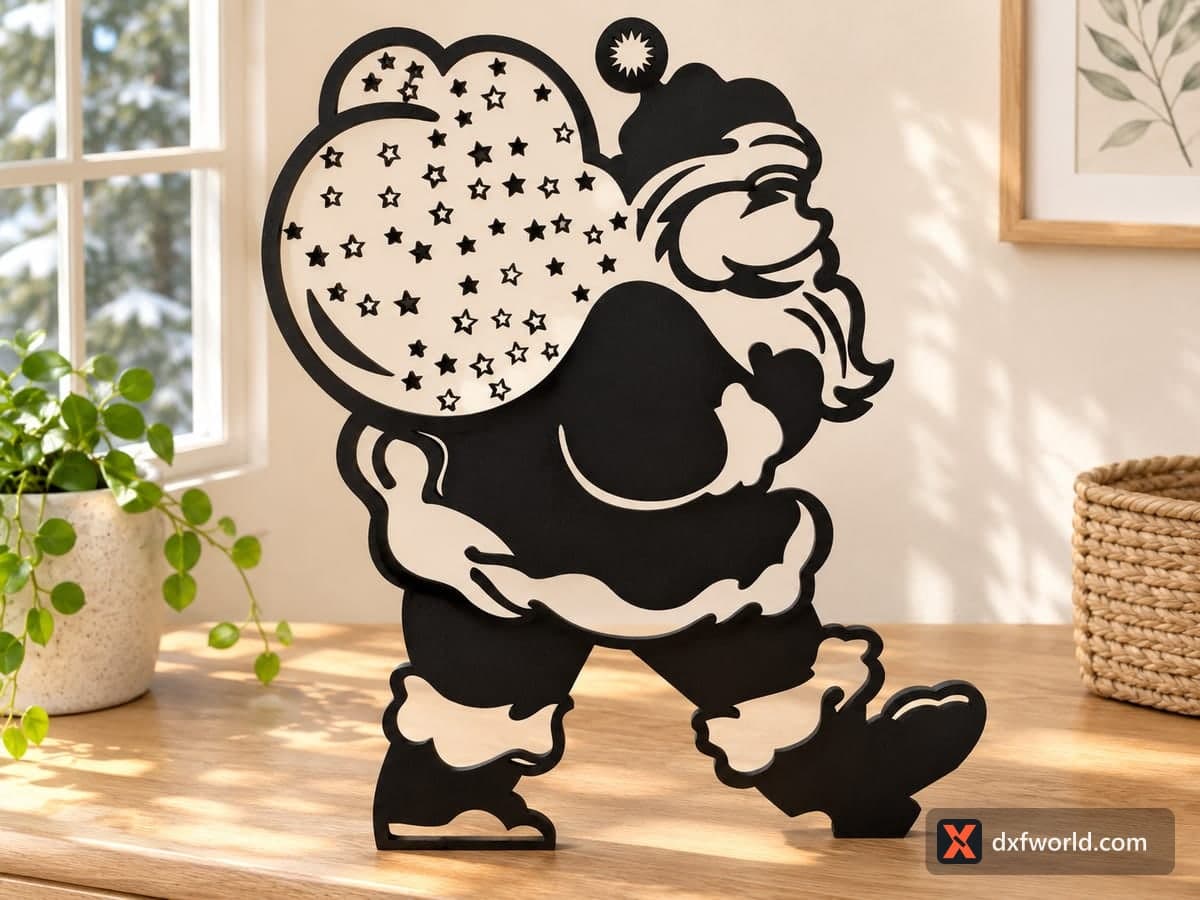
A single-panel Santa Claus silhouette: Santa strides to the right with a big sack over his shoulder, and the sack is filled with about fifty small star cut-outs. The free download is one SVG and one DXF with cut lines only, drawn at 180.3 × 205.7 mm (7.1 × 8.1 in), and it scales up for a larger window or porch piece.
- Formats
- SVG, DXF
- Size
- 180 × 206 mm (7.10 × 8.10 in)
- Material
- Plywood, MDF, acrylic or metal (scale to your piece)
- Cut length
- 4.06 m
- Est. time, 10 W diode (3 mm)
- 13 min 32 s
- Est. time, 40 W CO2 (3 mm)
- 5 min 38 s
- Layers
- CUT only, no engraving
Free account required to download
How to make it
- 01Import the SVG or DXF and set the size; keep it at 180 mm wide or larger so the bridges between stars stay strong.
- 02Cut the stars and inner trim shapes first, then the outer outline, so the panel does not shift on the bed.
- 03Clean the soot from the star holes with a soft brush and lightly sand the face.
- 04Paint the figure, glue it to a light backer or a foot block, and set it on a shelf or in a window.
What the panel looks like
Santa is drawn mid-step, one boot lifted, carrying a rounded sack on his back. The sack is the busy part of the file: dozens of five-point stars of different sizes are cut through it, so light from a window or a candle behind shines through as a starry pattern. A starburst is cut into the pom-pom of his hat, and open shapes mark the beard, the moustache, the fur trim on the coat and the tops of the boots. Everything is one connected piece with 68 closed contours, so nothing falls apart after cutting.
In the photo the figure is painted black and stands on a sideboard against a light wood layer, which makes the stars and the white trim read clearly. You can get the same look by cutting the outline a second time from light wood and gluing it behind.
Scaling and material
At the drawn size it suits a shelf or a mantel. For a front window or porch, scale it up two or three times; the stars stay readable. Going smaller than the original makes the thin strips between neighbouring stars and around the beard fragile, so 3 mm plywood or acrylic is about the limit at this size. MDF takes black paint well and gives clean star edges.
Finishing and gift ideas
Spray the cut panel matt black, or paint the coat red and leave the trim natural. Add a small foot block at the back so it stands on its own. Sell it in pairs with a matching backer, or engrave a family name on the sack for a Christmas Eve keepsake.
Questions about this file
Can light shine through the sack?
Yes. The stars are cut right through, so a window, LED strip or tea light behind the panel turns the sack into a starry glow.
How do I get the two-tone look from the photo?
Cut the outline twice: paint one copy black for the front and glue a plain light-wood copy behind it, slightly offset if you like a shadow edge.
How small can I make this Santa?
Around the drawn 180 mm width is a sensible minimum for plywood. Below that, the strips between stars and around the beard get too thin and can snap.
Is it big enough for a porch?
Scale it up in your software; at 500 mm or more it works as a porch or yard figure cut from exterior plywood or thin steel on a CNC router or plasma table.
Will acrylic work?
Black or red cast acrylic cuts cleanly on a CO2 laser and needs no paint, but keep the piece at least the drawn size so the star bridges hold.
Similar files