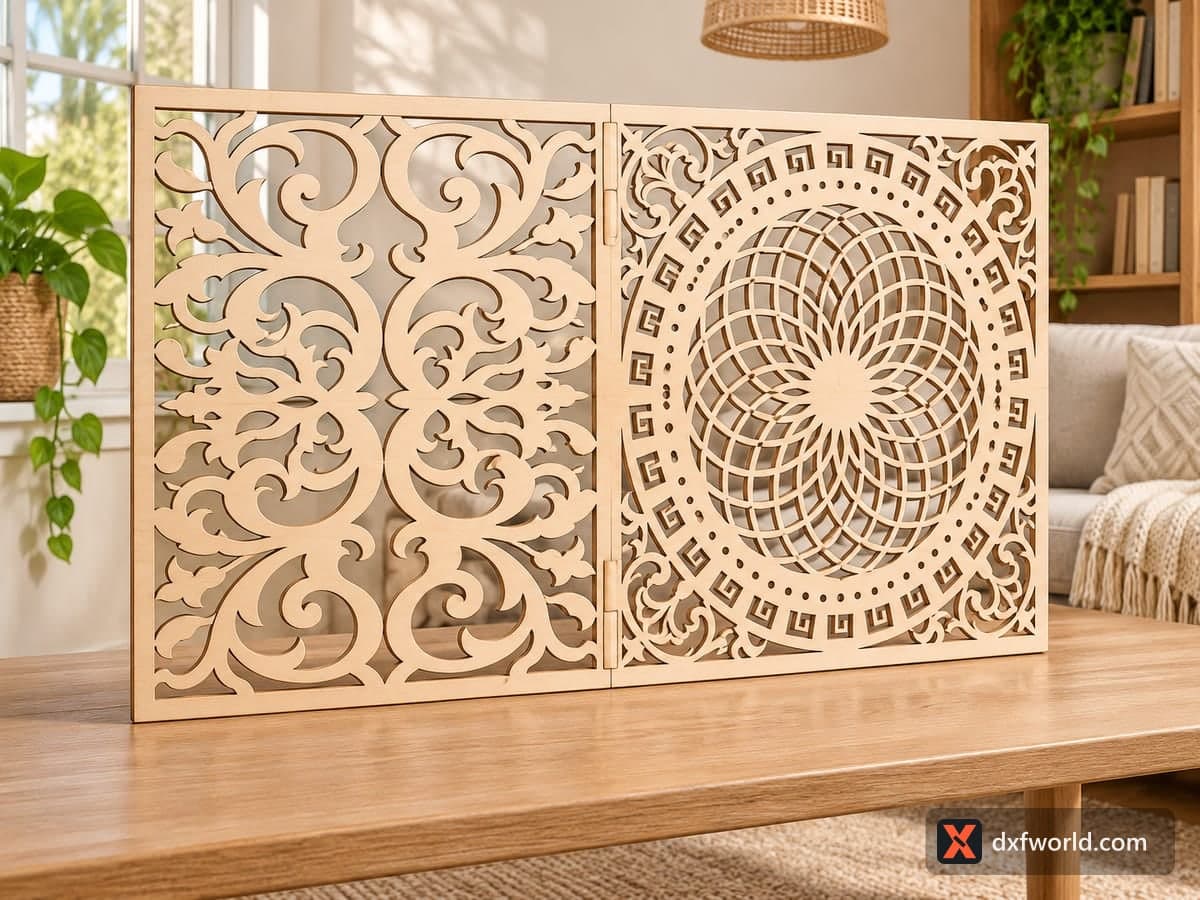
 Visualization
Baroque Screen Panel DXF, Scroll and Rosette Room Divider Laser Cut File, Greek Key Medallion Panel SVG, Folding Screen
A 1600 × 900 mm (62.99 × 35.43 in) layout with two different decorative screen panels side by side: one filled with mirrored baroque acanthus scrolls, the other with a large rosette of overlapping circles framed by a ring of dots, a ring of Greek key squares and scroll corners. The free download is one SVG and one DXF file, cut lines only, for a hinged two-panel screen, cabinet doors or wall panels on a CNC router or large laser.
- Formats
- SVG, DXF
- Size
- 1,600 × 900 mm (62.99 × 35.43 in)
- Material
- Plywood, MDF, acrylic or metal (scale to your piece)
- Cut length
- 72.36 m
- Est. time, 10 W diode (3 mm)
- 241 min 12 s
- Est. time, 40 W CO2 (3 mm)
- 100 min 30 s
- Layers
- CUT only, no engraving
Free account required to download
How to make it
- 01Open the layout, join open segments into closed shapes and remove any doubled Greek key outlines.
- 02Scale the panels to your project, keeping the dot ring at least 3 mm per dot for a clean cut.
- 03Cut each panel with the inner openings first and the panel outline last, using tabs on a CNC router.
- 04Sand, paint or stain, then join the two panels with small hinges or fit them into frames or doors.
Two designs that work as a pair
The left half is a classic scroll panel: heavy C-scrolls and acanthus leaves mirrored around a vertical center line, with leafy fleur shapes where they meet. The right half is calmer and geometric. Overlapping circles build a tight rosette in the middle, a ring of small round dots and a ring of Greek key squares circle it, and four scroll corners fill out the square. Hung together, the busy left panel and the round right panel balance each other. The photo shows them in birch plywood joined with small hinges as a low folding screen on a table.
Before you cut
Many of the scroll outlines are drawn as chains of separate segments. Run your software's join or close-path command on the file first; LightBurn, Inkscape and CAD programs all have one. Without it, some lasers and CAM programs treat the shapes as open lines and cut them in the wrong order. Check the Greek key squares too: a few have double outlines that you can delete.
Size and material
At full size each panel is roughly 0.8 × 0.9 m, which suits 9–12 mm plywood or MDF on a CNC router; use a 3 mm bit for the dot ring. On a hobby laser, scale the layout down to 50% for a 800 × 450 mm desk or fireplace screen in 3–4 mm plywood. Below that, the dots and key squares get too small to cut cleanly.
Ideas
A two-leaf fireplace screen, wardrobe or kitchen cabinet doors (one design per door), a headboard, or two framed wall panels over a console table.
Questions about this file
Are the two panels the same?
No. One is a mirrored baroque scroll design and the other a round rosette with a Greek key ring; they are made to stand side by side.
Why does my software show open paths?
Several scroll outlines are built from separate segments. Join them once before cutting and save the cleaned file for next time.
Can I cut only the rosette panel?
Yes. Delete the scroll half and cut the rosette alone as a square wall panel or a round-motif door insert.
What hinges suit a folding screen?
Small brass butt hinges or double-action screen hinges, screwed into a solid edge strip at least 15 mm wide.
Can it go outdoors?
Cut it in exterior plywood, PVC foam board or aluminum and seal all edges; standard MDF swells in rain.
Similar files