 Visualization
Flame Corner SVG, Hot Rod Fire Corner Accent DXF, Flame Trim Laser Cut File, Sign and Frame Corner Decoration
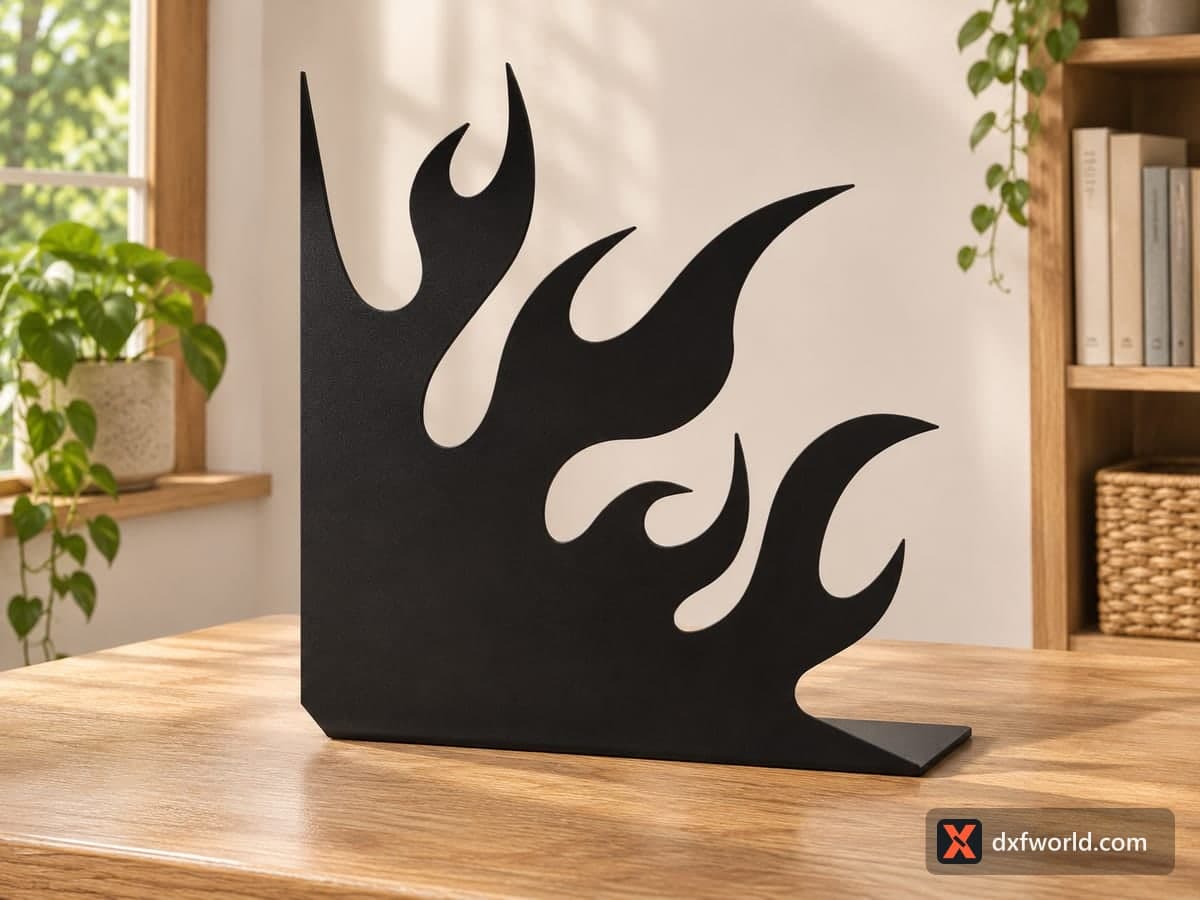
A right-angle corner piece with two straight edges and a row of curling hot-rod flames licking outward from the corner. The free SVG and DXF hold one cut outline at 114.3 × 111.8 mm (4.5 × 4.4 in), sized to dress up the corners of a sign, a frame, a box lid or a garage panel.
- Formats
- SVG, DXF
- Size
- 114 × 112 mm (4.50 × 4.40 in)
- Material
- Plywood, MDF, acrylic or metal (scale to your piece)
- Cut length
- 0.92 m
- Est. time, 10 W diode (3 mm)
- 3 min 04 s
- Est. time, 40 W CO2 (3 mm)
- 1 min 17 s
- Layers
- CUT only, no engraving
Free account required to download
How to make it
- 01Scale the corner to the frame or sign it will decorate and delete the short stray line on the left edge.
- 02Duplicate and mirror the piece in your software if you need left and right corners.
- 03Cut the corners from plywood, acrylic or steel and sand the flame tips gently.
- 04Paint or finish them, then glue or screw them flush onto the corners of your project.
How to use a corner piece
The straight left and bottom edges, joined by a small clipped corner, sit flush with the corner of whatever you are decorating, while a cluster of flame tongues reach out diagonally with curled tips and teardrop gaps between them. Cut four and mirror two of them in your software, and you have a full set for a rectangular sign or picture frame. Two mirrored pieces on the bottom corners of a shelf or a toolbox lid give it a custom hot-rod look. The photo shows one enlarged in black steel standing on a desk, which also works as a bold bookend if you weld or screw a base plate under it.
Cutting notes
The file is one outline plus a stray line a few millimetres long sticking out of the left edge; it cuts into scrap and does no harm, but you can delete it before cutting. The flame tips are pointed, so at the file size use 3 mm plywood or acrylic and a well-focused beam. For metal or CNC work, scale the corner up to 250 mm or more so the tips do not burn away.
Finishing ideas
Paint the flames in a yellow to red fade, cut them from orange mirror acrylic, or leave them matte black on a chrome-look sign. They also make good stencil shapes for flame graphics on a helmet or a toolbox.
Questions about this file
How do I get four matching corners?
Copy the piece four times and mirror two of them horizontally in your software before cutting.
What is the short line on the left?
A small stray line next to the outline. Delete it, or leave it; it only cuts a tiny sliver of scrap.
Does the flame corner work as a paint stencil?
Yes. Cut it from thin plastic sheet and spray through or around it to paint flames on a box or helmet.
What colour works best?
Classic hot-rod flames fade from yellow at the corner to red at the tips; matte black suits a modern sign.
Can I make a bookend from it?
Yes. Enlarge it, cut it from steel or thick plywood, and fix a flat base plate under the straight bottom edge.
Similar files