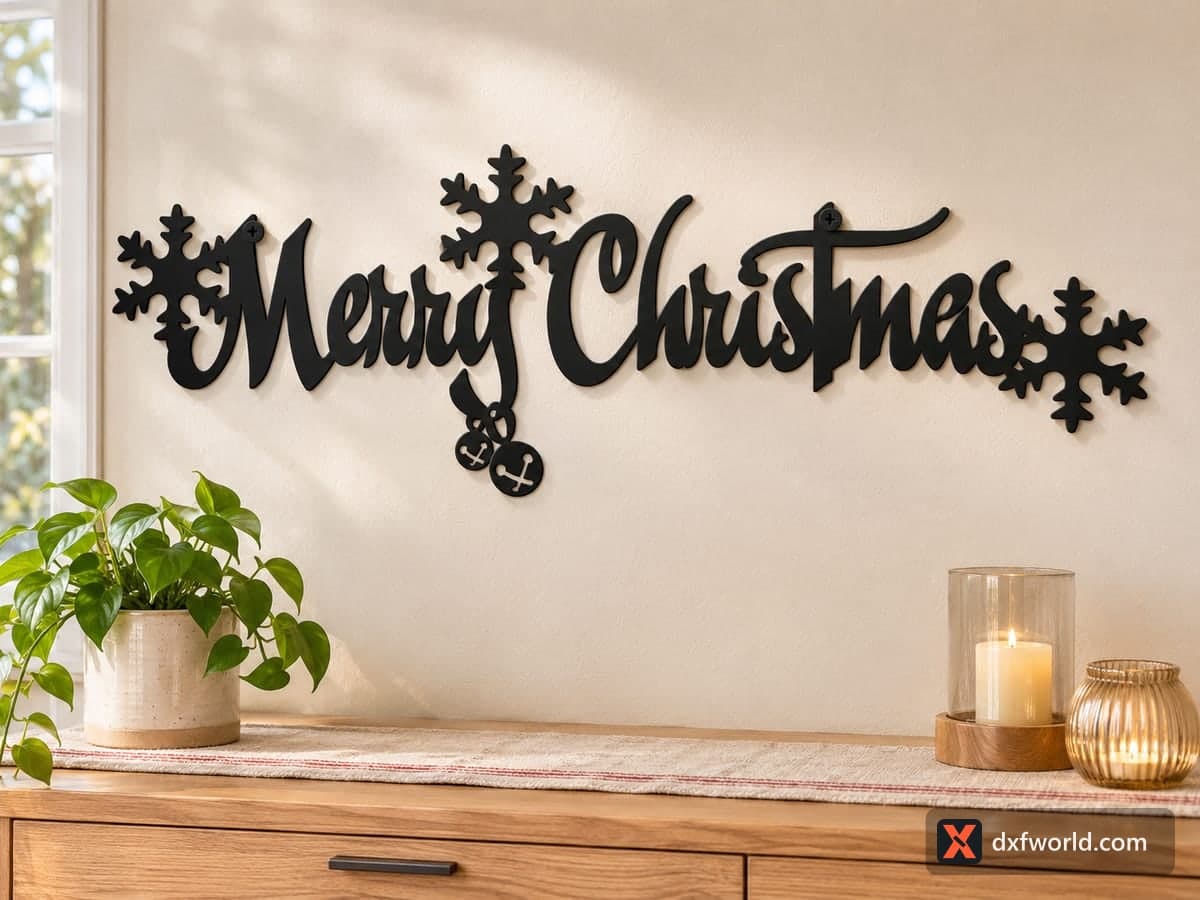
 Visualization
Merry Christmas Sign SVG, Merry Christmas Laser Cut File, Script Christmas Wall Sign DXF With Snowflakes
A one-piece Merry Christmas wall sign in flowing joined script, with a snowflake at each end, a third snowflake rising from the middle and two jingle bells hanging from the y. The free SVG and DXF contain cut lines only at 914 × 279 mm (36 × 11 in), a full wall size; scale it down proportionally for a mantel or a smaller laser bed.
- Formats
- SVG, DXF
- Size
- 914 × 279 mm (36.00 × 11.00 in)
- Material
- Plywood, MDF, acrylic or metal (scale to your piece)
- Cut length
- 9.03 m
- Est. time, 10 W diode (3 mm)
- 30 min 06 s
- Est. time, 40 W CO2 (3 mm)
- 12 min 33 s
- Layers
- CUT only, no engraving
Free account required to download
How to make it
- 01Open the SVG or DXF and check the size: 914 mm wide as drawn. Lock the proportions if you scale it to your wall space.
- 02Check that the bell ribbon and letter tails are still at least 3 mm wide at that size, and split the job if it is wider than your bed.
- 03Cut the bell cut-outs and the two hanging holes first, then the outer script outline.
- 04Sand the back, paint the sign and hang it on two screws through the snowflake holes.
Size and scaling
The file is 914 × 279 mm (36 × 11 in), sized for a wall above a sideboard, a fireplace or a front door. Lock the aspect ratio in your laser software and type in the width you want. Somewhere between 600 and 1000 mm wide reads well from across a room. If you go smaller than about 500 mm, the hairline joins on the bell ribbon and the tails of the letters get thin and snap easily.
What is in the file
Everything is one connected piece: the words Merry Christmas run as one line of script, the end snowflakes are fused to the M and the final s, and the middle snowflake grows out of the y, with two round bells on a ribbon below it. The bells carry small cross-shaped cut-outs. Each end snowflake has a small round hole near its tip, so you can hang the sign on two screws or nails.
Material and finishing
At a full wall size, the sign is wider than most hobby laser beds, so check your work area or cut it on a CNC router from 6 mm plywood or MDF; it also suits plasma-cut steel. Matte black paint, as in the photo, reads well on a light wall. White or gold works on a dark door. Seal it with clear lacquer if it will hang on a covered porch. Sanded and left in plain birch, it makes a calm Scandinavian-style piece for a mantel.
Questions about this file
How do I hang it?
There is a small hole near the tip of each end snowflake. Put a screw or a picture nail through each one, or glue two sawtooth hangers on the back.
What size is the Merry Christmas sign?
The file is 914 × 279 mm (36 × 11 in). Lock the proportions to scale it; below about 500 mm wide the thinnest joins get fragile.
My laser bed is too small for a 900 mm sign. What can I do?
Scale it to fit your bed for a mantel version, or use a CNC router. A pass-through laser can also cut it in sections if your software supports it.
Can I cut it from steel?
Yes, the letters are joined, so a plasma or fibre laser cut in thin steel gives a durable outdoor sign. Keep it large so the thin joins stay strong.
Which colours work best?
Black on a light wall, white on a dark door, or red with the bells picked out in gold. Paint before hanging so the edges are covered too.
Similar files