Star Lattice Panel SVG, Long Geometric Wall Panel Laser Cut File, Islamic Pattern Screen DXF, Framed Fretwork CNC
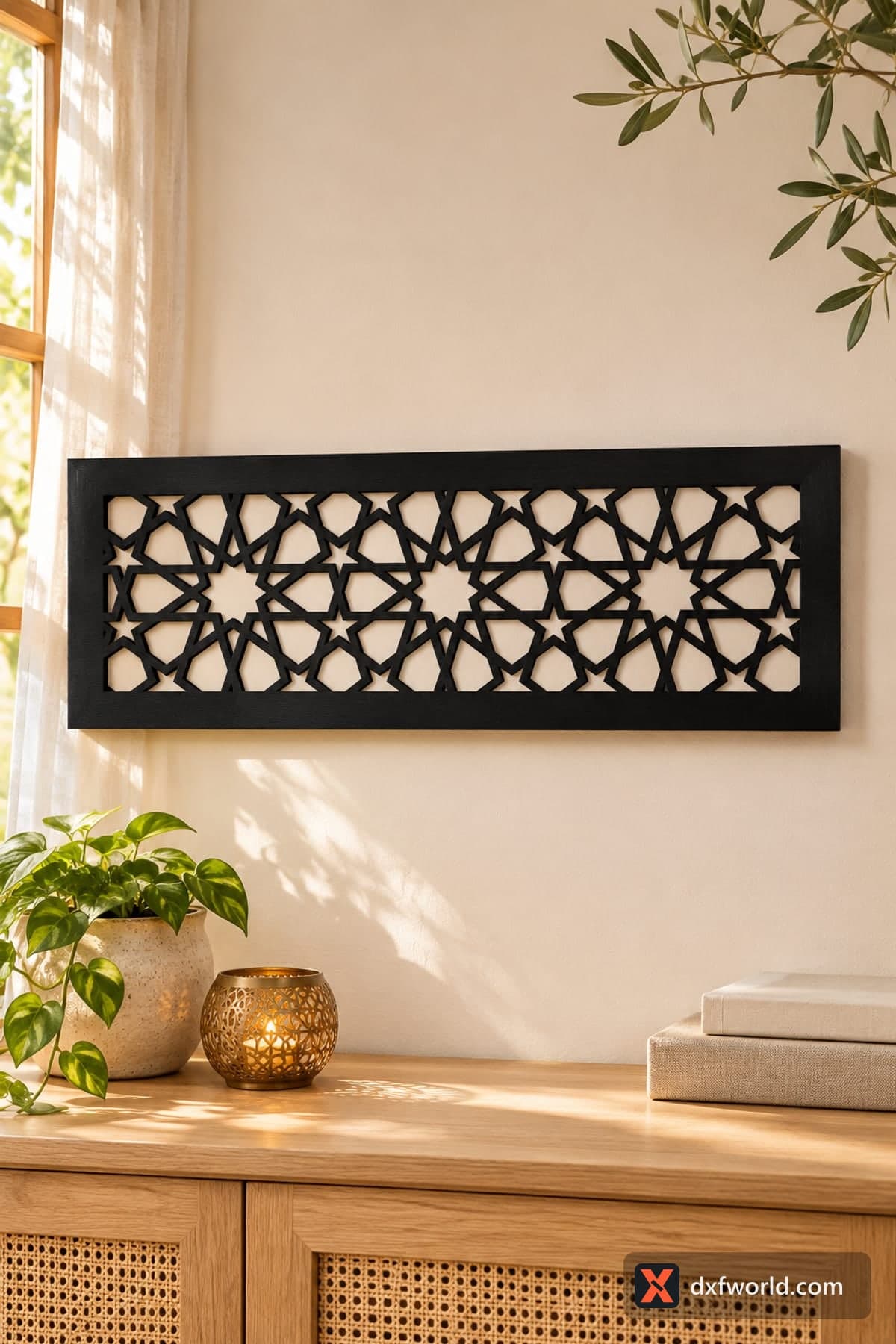
A long rectangular panel with a solid border and a geometric pattern of three large star rosettes in a row, linked by small five-point stars and irregular polygon openings. The free download is one SVG and one DXF file, cut lines only, drawn at 2074 × 730 mm (81.65 × 28.74 in). It suits a CNC router or a large laser, and can be scaled down.
- Formats
- SVG, DXF
- Size
- 2,074 × 730 mm (81.65 × 28.74 in)
- Material
- Plywood, MDF, acrylic or metal (scale to your piece)
- Cut length
- 37.23 m
- Est. time, 10 W diode (3 mm)
- 124 min 06 s
- Est. time, 40 W CO2 (3 mm)
- 51 min 42 s
- Layers
- CUT only, no engraving
Free account required to download
How to make it
- 01Choose the final length and scale the file; keep the thinnest bridge at 2 mm or more.
- 02Run a short test pass on scrap to check the cut quality in your material.
- 03Cut the panel and sand all edges, especially inside the star openings.
- 04Prime, paint, and fix the panel in front of a contrasting backer board.
The pattern
Three big star medallions sit along the centre line of the panel. Between them, narrower strips of wood form smaller five-point stars and many-sided openings, so the pattern repeats from end to end. A solid border all the way round keeps the lattice stiff and gives you something to screw or glue to. Because every opening is cut through, light and shadow fall on the wall behind in a star pattern.
Scaling and material
At the drawn 2.07 m the panel is a CNC router job, normally in 6 to 12 mm MDF or plywood. For a laser, scale the width down first; 600 to 900 mm long fits most desktop and gantry machines and still looks good. The thin bridges between openings get weak when the panel shrinks a lot, so check the narrowest strip against your material thickness and keep it at 2 mm or more; thicker board is safer for the large size. The photo shows it painted black with a pale backing behind the openings.
Finishing and mounting
Sand before painting and prime both sides, since the many edges soak up a lot of paint. Mount it over a contrasting board, a mirror or fabric so the star shapes show clearly. As a room divider it can be hung from the ceiling in a frame; as wall art, fix it to a thin backer with a few dabs of glue. Cut two or three copies to make a headboard or a long feature wall.
Questions about this file
Can a normal laser cut this?
Only after you scale it down to fit the bed. The drawn size is 2074 × 730 mm, so use a CNC router at full size.
How thick should the material be?
For a large panel use 6 to 12 mm MDF or plywood. Small laser copies work in 3 mm.
Will the thin strips break?
They can if you shrink the design too much. Keep the narrowest bridge at 2 mm or wider and handle the panel flat.
Can I split it into smaller panels?
Yes. Cut the file at the medallion boundaries in your software and make three shorter panels.
What goes behind it?
A painted board, mirror, acrylic or fabric in a contrasting colour makes the stars stand out.
Similar files