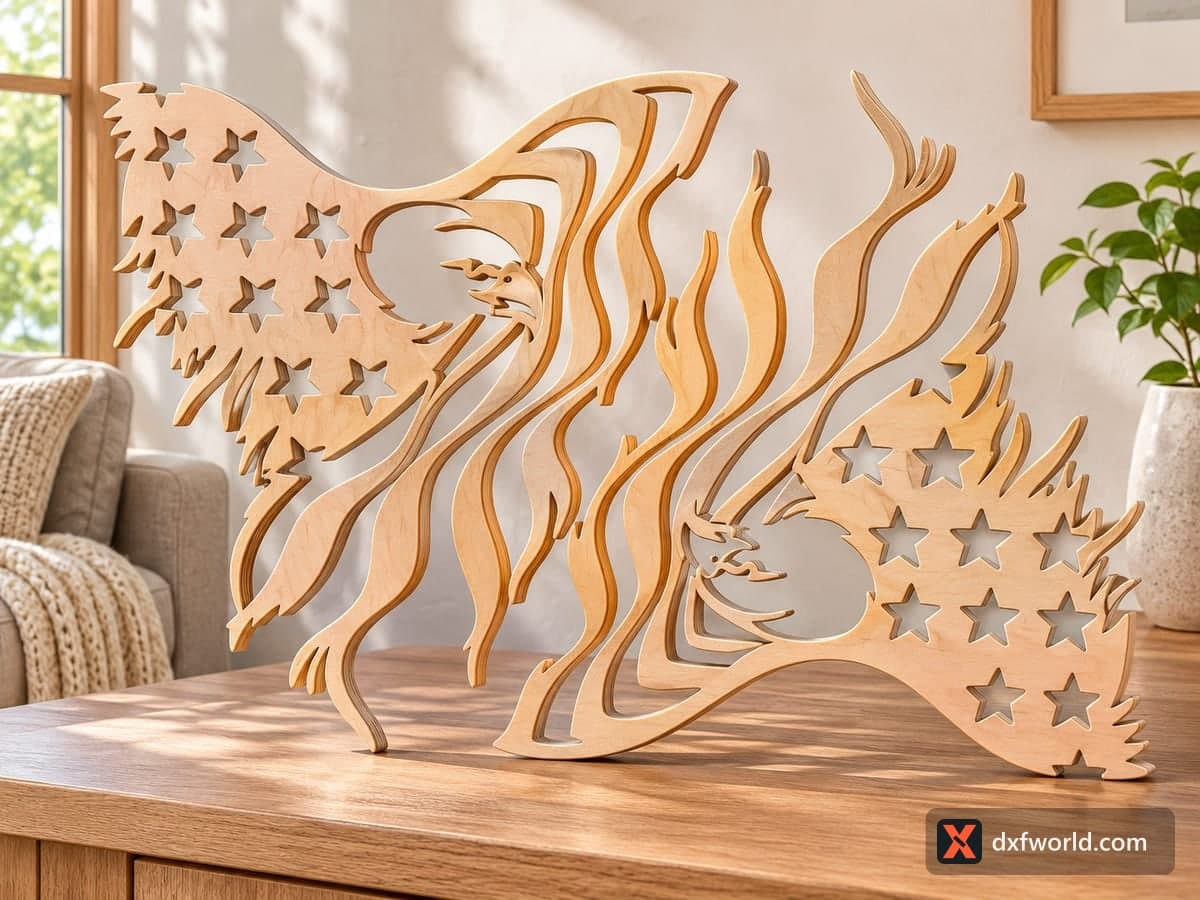
Eagle and Flag SVG, Patriotic Eagle Wall Art Laser Cut File, Flowing Stars and Stripes DXF, Eagle Head Decor
Two matching flag-and-eagle panels, one the half-turn of the other, each with a field of stars on one side, long flowing stripes and an eagle head in a round cut-out. The free download is one SVG and one DXF file, 604.5 × 358.1 mm (23.80 × 14.10 in), cut lines only, 26 closed contours.
- Formats
- SVG, DXF
- Size
- 605 × 358 mm (23.80 × 14.10 in)
- Material
- Plywood, MDF, acrylic or metal (scale to your piece)
- Cut length
- 12.70 m
- Est. time, 10 W diode (3 mm)
- 42 min 20 s
- Est. time, 40 W CO2 (3 mm)
- 17 min 38 s
- Layers
- CUT only, no engraving
Free account required to download
How to make it
- 01Choose your size; for display keep the width near 600 mm per layout or scale to suit.
- 02Cut stars and stripe gaps first, then the outer lines of both panels.
- 03Sand the thin ribbon tips by hand and wipe dust from the star holes.
- 04Stain or paint, then add a foot or a hanger to each panel.
What is in the file
The layout holds two separate panels. In each one, a patch of stars ends in a ragged edge where the stripes start. The stripes run as long, wavy ribbons across the panel and fray into pointed tips at the free end. An eagle head looks out of a rounded opening next to the star field. The second panel is the first one rotated half a turn, so together they nest into one rectangle.
Using the panels
The photo shows them cut from plywood and set up on a sideboard, facing each other like bookends, with the edge of the plywood showing the layers. You can also hang them flat, one beside the other, or hang a single panel. The long ribbons are narrow, so cut from 6 mm plywood for standing display and keep the stripes at least 4 mm wide if you scale down.
Cutting and finishing
The stripes have sharp curves; use the lowest cutting speed that keeps the edges clean on corners. Cut the stars first, then the stripe gaps, then the outline. A CNC router with a 2 mm bit will manage it, and a plasma table works well in 2 mm steel. Finish with clear satin lacquer or red, white and blue stain. For a stand, glue a small plywood foot behind each panel.
Questions about this file
Are there two separate parts?
Yes, two panels that nest in the layout and can be hung or stood apart.
How are the stars made?
They are cut out of the star field as small openings.
Can I use it on steel?
Yes, plasma cuts it well from 2 mm steel at the full size.
How do I make them stand?
Glue or bolt a small foot behind each panel, as the photo suggests.
Can I cut just one panel?
Yes, select one panel in your software and delete the other before cutting.
Similar files