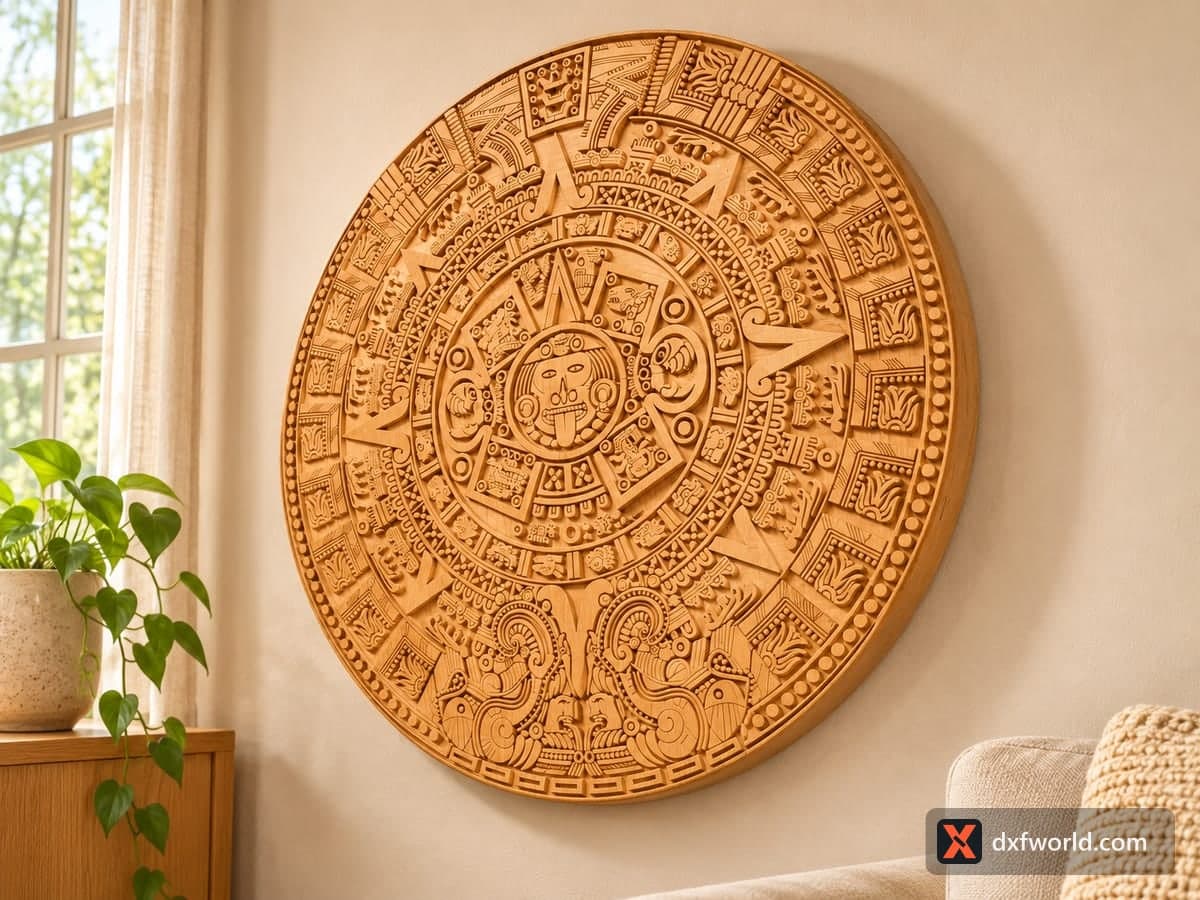
 Visualization
Aztec Calendar SVG, Sun Stone Wall Art Laser Cut File, Mexican Calendar Wheel DXF, Aztec Decor
A round, highly detailed cut file of the Aztec sun stone: a face with an outstretched tongue in the centre, four square panels and pointed rays around it, rings of day signs and dots, and two fire serpent heads meeting at the bottom. The free download is one SVG and one DXF file, cut lines only, at 600 × 602.3 mm (23.62 × 23.71 in), with about three thousand closed contours.
- Formats
- SVG, DXF
- Size
- 600 × 602 mm (23.62 × 23.71 in)
- Material
- Plywood, MDF, acrylic or metal (scale to your piece)
- Cut length
- 111.92 m
- Est. time, 10 W diode (3 mm)
- 373 min 05 s
- Est. time, 40 W CO2 (3 mm)
- 155 min 27 s
- Layers
- CUT only, no engraving
Free account required to download
How to make it
- 01Keep the file at 600 mm or larger and run a small test patch to set power and speed.
- 02Tape a flat 3 mm sheet to the bed, cut the inner glyphs first and the outer ring last.
- 03Glue the cut piece onto a solid backing disc so the separate inner shapes stay in place.
- 04Stain the top layer, paint the backer a contrasting colour and seal before hanging.
How detailed it is
This is not a simple silhouette. The file has around 3000 closed shapes: every glyph, dot ring, feather band and serpent scale is drawn as its own outline. At the drawn 600 mm diameter the smallest openings are only a few millimetres across, which is why the piece is meant to stay large. The photo shows the motif as a warm wood relief hanging in a living room; a cut-through version looks lacier, with light passing through the rings.
Best ways to make it
On a laser, cut it from 3 mm plywood or MDF at full size, or bigger if your machine allows, and glue it onto a solid disc in a contrasting colour so every loose island is held in place. Many of the inner glyph shapes are separate pieces, so a backer is not optional. A large laser engraver can also use the same lines as a score or engrave layer for a flat calendar plaque. On a CNC router, use the outlines for V-carving or a pocketed relief in hardwood or MDF, close to what the photo shows.
Cutting tips
The job is long, so run a small section first to dial in power and speed. Use air assist and a honeycomb bed, and tape the sheet down; with this many holes a warped sheet will lift and burn. Cut inner details before the outer ring. Do not scale it down much: below about 450 mm the dot rings and fine glyph lines start to merge and char. Finish with a light stain or gold paint on a black backer for a striking contrast.
Questions about this file
Can a hobby laser cut this?
Yes, if the bed fits a 600 mm disc, but plan for a long job. Smaller beds can engrave a scaled copy instead of cutting it.
Why do pieces fall out of the middle?
Many glyphs are drawn as closed shapes inside openings. Glue the cut layer onto a backer so they stay where they belong.
Can I use it for CNC carving?
The outlines work well for V-carving or pocketing on a router, which gives the carved stone look shown in the photo.
What is the smallest sensible size?
About 450 mm across for cutting. Smaller than that, use the lines for engraving only.
Which colours look best?
Natural or stained wood over black, or gold paint over dark wood. Strong contrast makes the rings and glyphs readable.
Similar files